
yaml和yml文件
YAML 是 "YAML Ain't Markup Language"(YAML 不是一种标记语言)的递归缩写。在开发的这种语言时,YAML 的意思其实是:"Yet Another Markup Language"(仍是一种标记语言),yaml和yaml等同
基本语法
- key: value,kv之间有空格,- v,-v之间有空格
- 大小写敏感
- 使用缩进表示层级关系
- 缩进不允许使用tab,只允许空格
- 缩进的空格数不重要,只要相同层级的元素左对齐即可
- '#'表示注释
- 字符串无需加引号,如果要加,
' '与" "表示字符串内容会被——转义/不转义(不转意即"\n"保持原来的作用实现换行)
数据类型
- 字面量:单个的、不可再分的值。date、boolean、string、number、null
yaml
k: v- 对象:键值对的集合。map、hash、set、object
yaml
行内写法:  k: {k1:v1,k2:v2,k3:v3}
#或
k:
  k1: v1
  k2: v2
k3: v3- 数组:一组按次序排列的值。array、list、queue
yaml
行内写法:  k: [v1,v2,v3]
#或者
k:
 - v1
 - v2
 - v3
示例
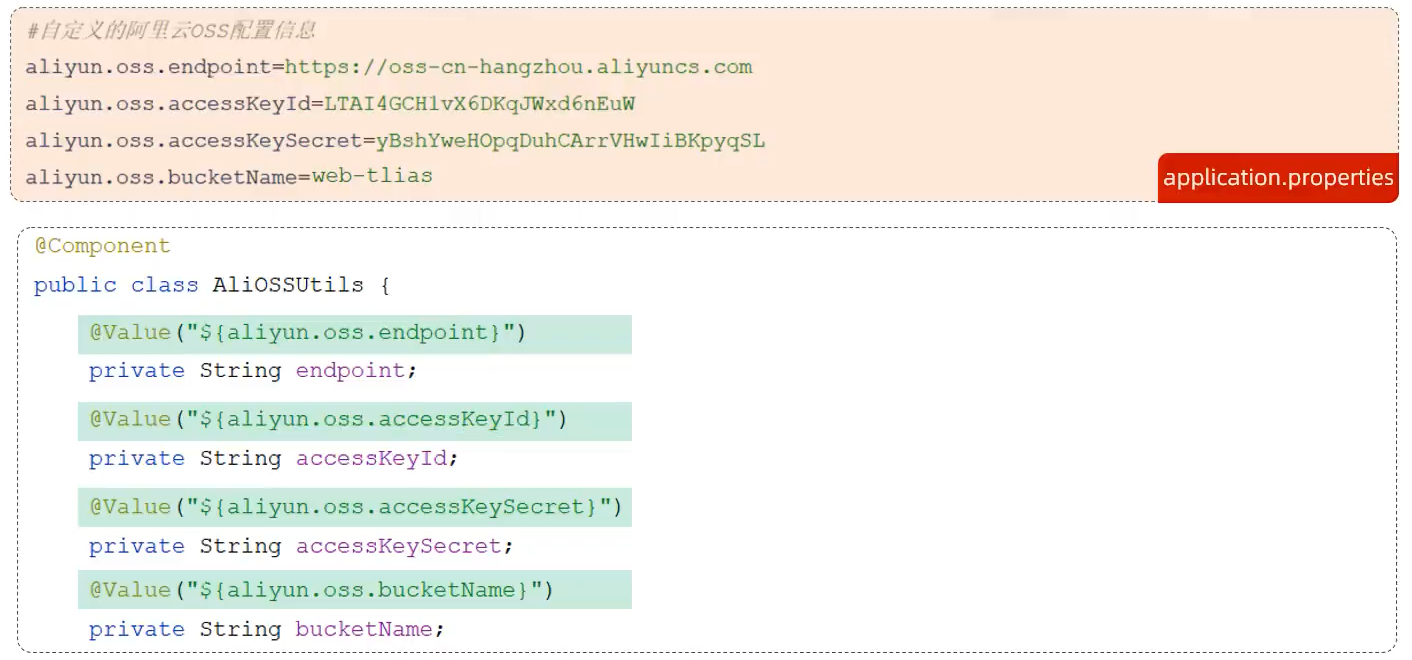
@Value
@Value注解通常用于外部配置的属性注入,具体用法为:@Value("${配置文件中的key}")
@ConfigurationProperties
在主应用程序中使用了
@EnableConfigurationProperties注解,那么就不需要在每个使用@ConfigurationProperties的类上再加上@Component注解了java@SpringBootApplication @EnableConfigurationProperties(MyAppProperties.class) public class MyApplication { // ... }
Person.java
java
@ConfigurationProperties(prefix = "Person") //默认读取文件名称为application的properties和yaml文件,可通过"."实现层级,驼峰需要修改为"-"
@Component
@Data
public class Person {
	private String userName;
	private Boolean boss;
	private Date birth;
	private Integer age;
	private Pet pet;
	private String[] interests;
	private List<String> animal;
	private Map<String, Object> score;
	private Set<Double> salarys;
	private Map<String, List<Pet>> allPets;
}
Pet.java
java
@Data
public class Pet {
	private String name;
	private Double weight;
}
application.yaml
yaml
# yaml表示以上对象
person:
  user-name: zhangsan #userName等同于user-name
  boss: false
  birth: 2019/12/12 20:12:33
  age: 18
  pet:
    name: tomcat
    weight: 23.4
  interests: [篮球,游泳]
  animal:
    - jerry
    - mario
  score:
    english:
      first: 30
      second: 40
      third: 50
    math: [131,140,148]
    chinese: {first: 128,second: 136}
  salarys: [3999,4999.98,5999.99]
  allPets:
    sick:
      - {name: tom}
      - {name: jerry,weight: 47}
    health: [{name: mario,weight: 47}]
Ctrl + Alt + L :进行格式化
配置提示信息依赖
pom.xml
xml
	<dependency>
        <groupId>org.springframework.boot</groupId>
        <artifactId>spring-boot-configuration-processor</artifactId>
        <optional>true</optional>
	</dependency>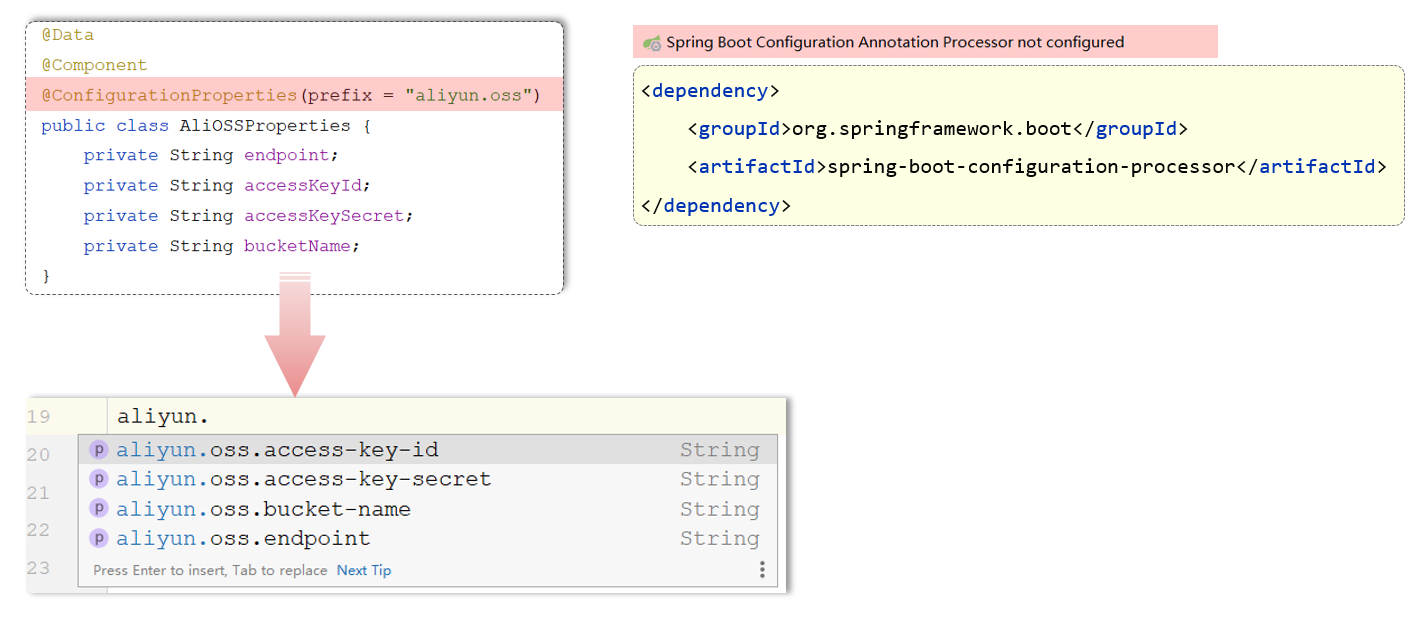
配置不打包进jar包,需要在<plugin>中配置(2.4.2以上的版本自动排除了)
xml
                <configuration>
                    <excludes>
                        <exclude>
                            <groupId>org.springframework.boot</groupId>
                            <artifactId>spring-boot-configuration-processor</artifactId>
                        </exclude>
                    </excludes>
				</configuration>